

Discovering Spline: The Future of 3D Design for Everyone
After learning Cinema 4D during the pandemic, I recently discovered Spline, a web-based 3D design tool often described as “Figma for 3D.”
Spline
During the pandemic, I discovered my interest in bringing 3D elements into visual design. That journey started with Cinema 4D, which helped me understand the basics of 3D modeling and animation.
A few months ago, I came across a LinkedIn post introducing a web-based 3D tool called Spline. It was described as something like “Figma for 3D.” At first, I wasn’t sure if it was worth learning another new tool. With work deadlines and daily responsibilities, it felt unrealistic to keep chasing every new design tool that appeared.
“There are so many new tools released every year. Not all of them last, and there’s no point learning something unless it actually helps with a real design problem.”
Still, curiosity won. I decided to give Spline a try.
Within about ten minutes, I was convinced enough to subscribe for a full year.
A Familiar Interface
One of the reasons Spline felt easy to pick up was its interface. It’s surprisingly similar to Figma.
The left panel contains layers and assets, while the right panel shows settings for the selected object. At the top, there’s a toolbar with shapes, lights, cameras, and other 3D objects. Spline also supports components and variables, allowing designers to create reusable assets and share them with teams.
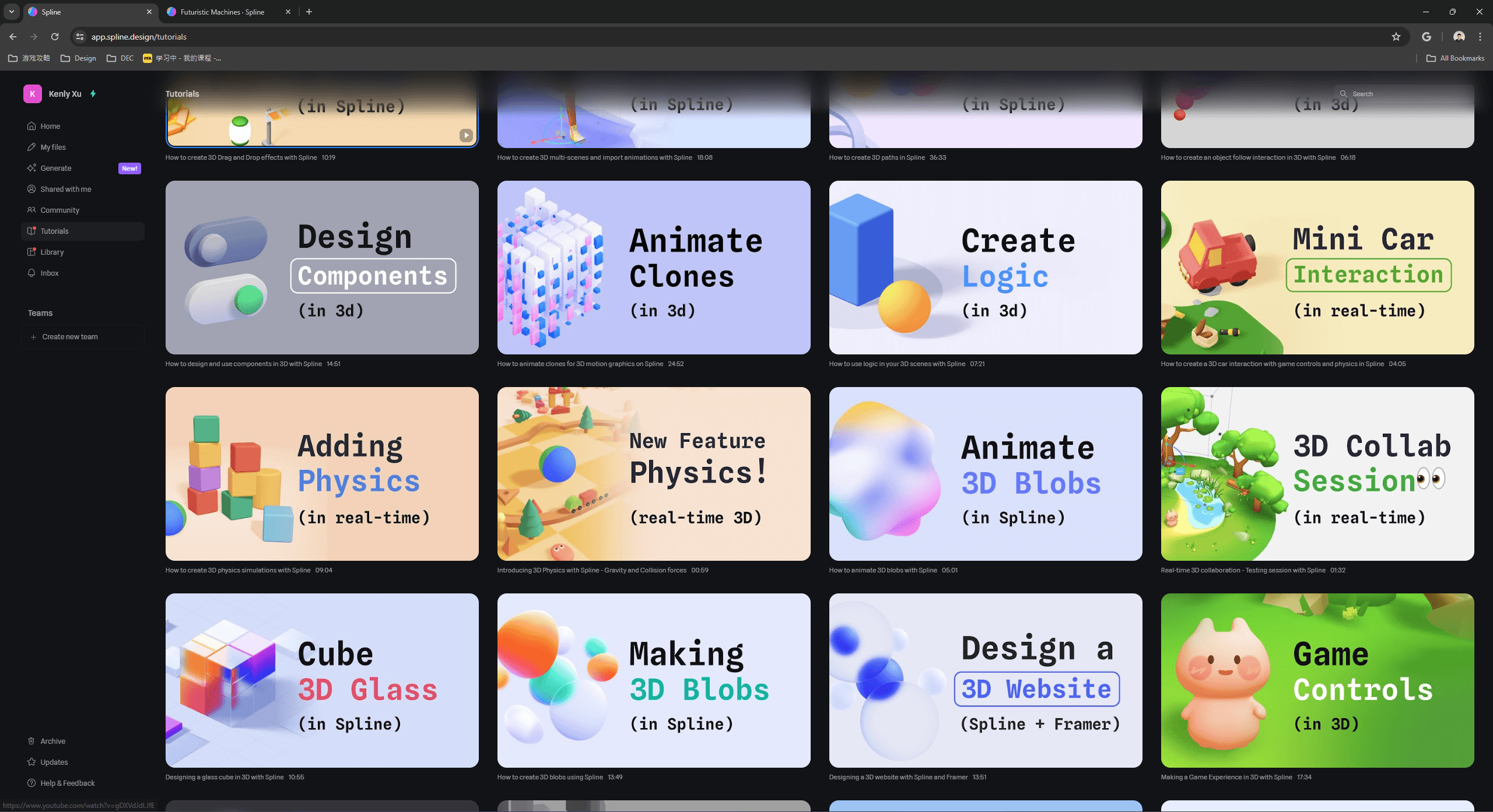
Because I already use Figma every day for product design, and had previous experience with Cinema 4D, learning Spline felt natural. The team behind Spline also provides short, focused tutorials that explain individual features instead of forcing users to watch long end-to-end lessons.
Learning by Experimenting
Many people start learning Spline through a simple mini keyboard tutorial, which demonstrates how easy it is to create small 3D animations. The experience feels similar to making a quick prototype in Figma.
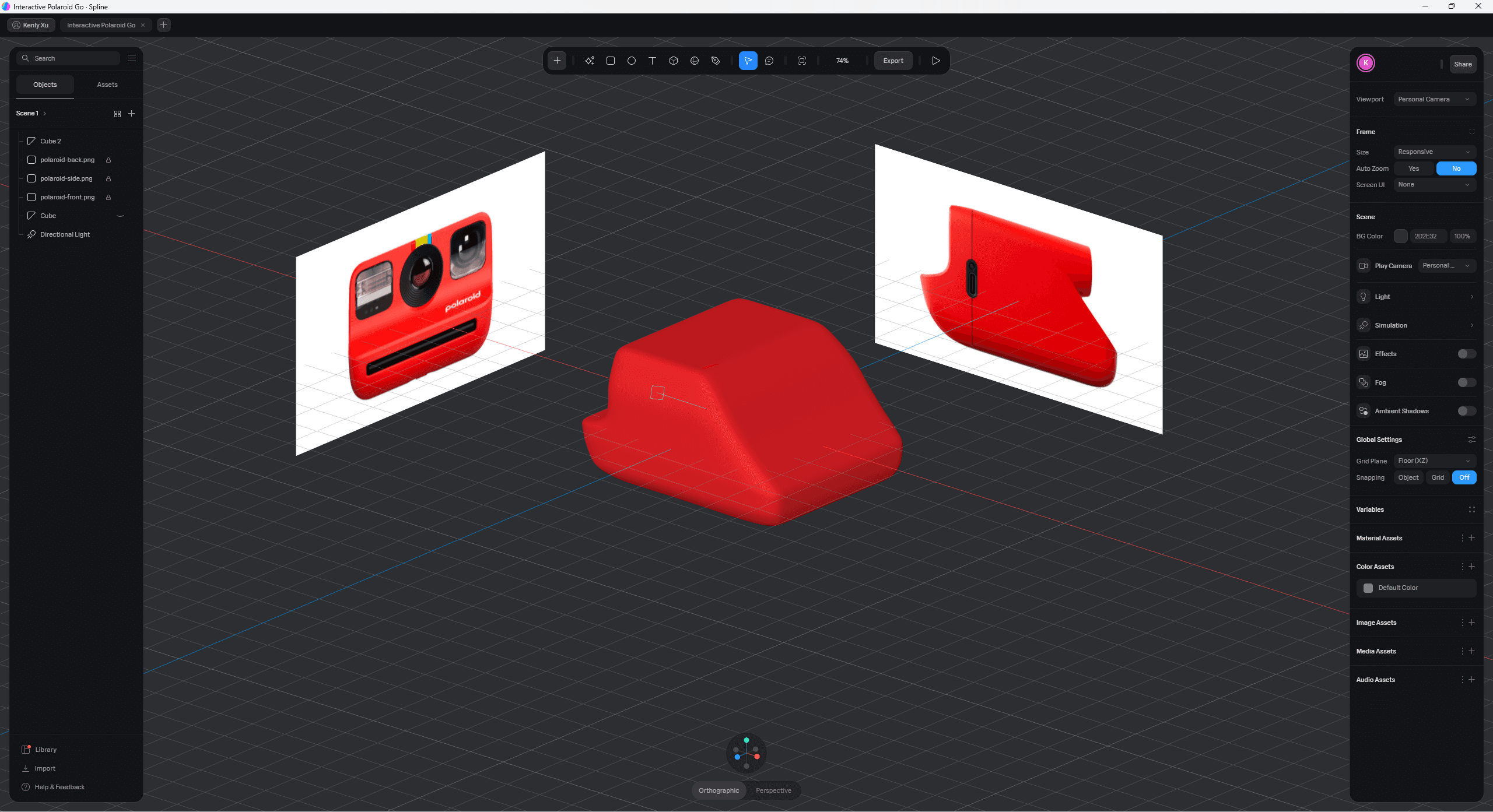
To practice, I reused an illustration I had created at work. At CrowdStrike, I once designed an empty-state illustration that looked like a server machine, but it was rejected because it didn’t match the product’s friendly visual style. Some people even joked that it looked like a nuclear device.
Exploring What’s Next
I’ve only scratched the surface of what Spline can do. The platform also supports physics interactions and game controls, which I’m especially excited to explore.
Those features could make it possible to build small interactive experiences or even simple games. Back in college, I had a few game ideas but never pursued them because tools like Unity or professional 3D software felt too complex. Spline might finally make those ideas easier to experiment with.
The Future of 3D Design
Spline lowers the barrier for designers who want to work with 3D. It removes much of the technical complexity that traditionally came with 3D tools.
Because of that, I can easily imagine Spline becoming something like “Figma for 3D.”
As someone wrote on Product Hunt, Spline is helping democratize 3D design, making it accessible to designers and creatives who may not have a background in traditional 3D modeling.
And for designers who are curious about working in three dimensions, it’s a great place to start.